Worklog360 allows teams to review and approve submitted time before it is used for reporting, budgeting, billing, or invoicing.
The approval process starts when users submit their weekly or monthly timesheet for approval.
Once submitted, managers can review the time from:
Worklog360 → Approvals
From there, there are two different approval options depending on how detailed the review needs to be.
-
Timesheet Approvals — approve or reject the complete timesheet of a team member.
-
Worklogs Approvlas — review and approve individual worklogs, including multiple worklogs in bulk.
Timesheet Approvals
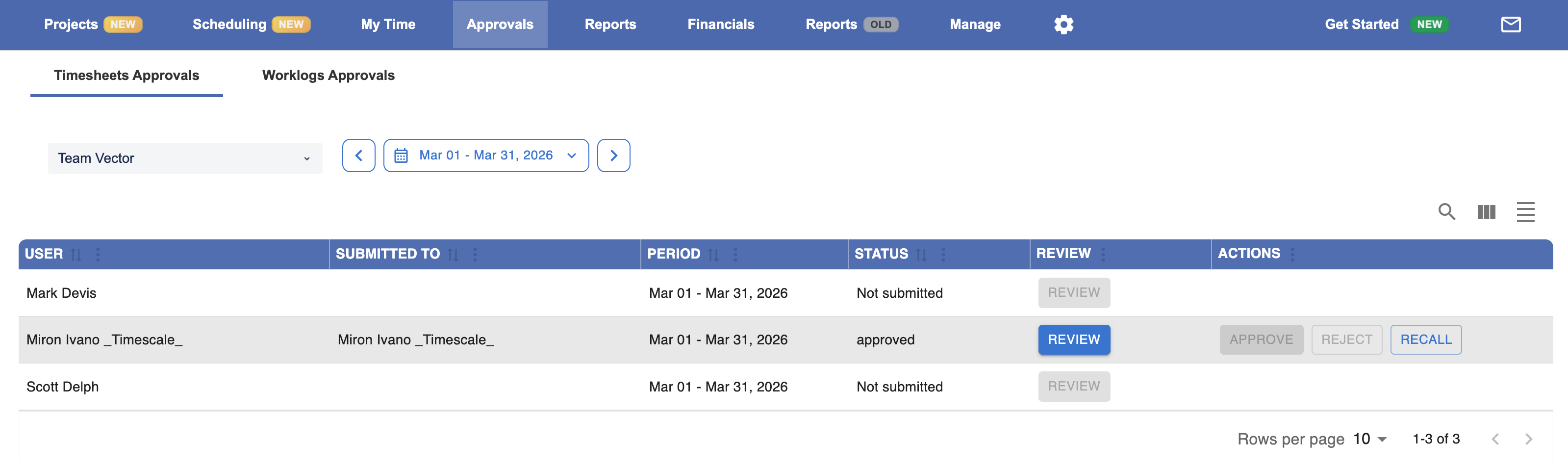
Use Timesheet Approvals when you want managers to review the complete submitted timesheet for a user.
Go to:
Worklog360 → Approvals → Timesheet Approvals
Managers first select the relevant Team and can then see the submitted timesheets of the team members.
From this view, managers can review the submitted period and either:
-
Approve the timesheet
-
Reject the timesheet when changes are required
This is the simplest approval workflow and is useful when the manager mainly needs to confirm that the employee's complete weekly or monthly timesheet is correct.
Worklog Approvals
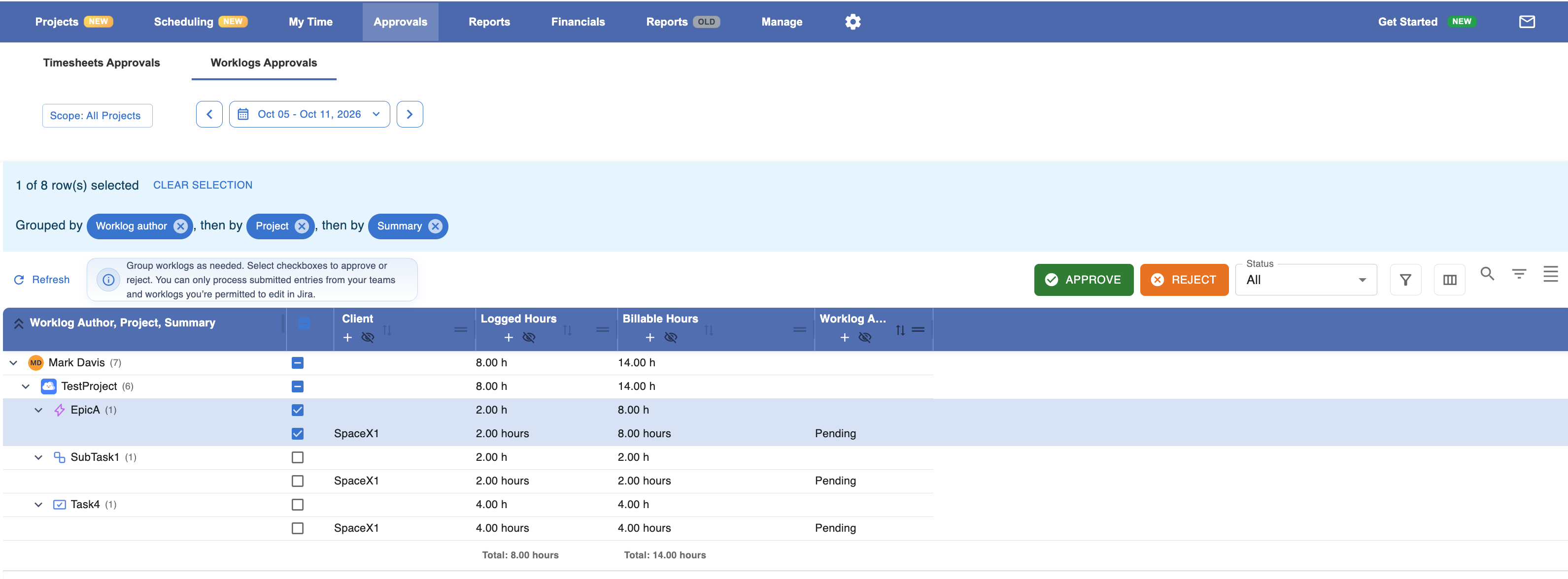
Use Worklog Approvals when managers need more detailed control over the individual worklogs included in a submitted timesheet.
Go to:
Worklog360 → Approvals → Worklog Approvals
Instead of approving the entire timesheet as one item, managers can review the individual worklogs and:
-
Approve individual worklogs
-
Reject individual worklogs
-
Select and approve or reject multiple worklogs in bulk
-
Group worklogs by meaningful fields to make the review easier
For example, worklogs can be grouped by information such as:
-
User
-
Project
-
Client
-
Jira work item
-
Budget
-
Service
-
Date or period
This is useful when approval responsibility is more detailed or when managers need to validate specific pieces of work before they are approved.
Which approval option should I use?
Use Timesheet Approvals when the approval decision is:
“Is this team member's complete timesheet correct?”
Use Worklog Approvals when the approval decision is:
“Are these specific worklogs correct and should they be approved?”
Both workflows start from the same submitted weekly or monthly timesheet, but Worklog360 allows you to choose between timesheet-level approval and more detailed worklog-level approval depending on how your organization works.