Worklog360 Projects give you a single place to manage your client and business projects in Jira — combining project status, Jira issue progress, time, and budgets.
A Worklog360 Project is connected to a Jira Space, but it adds a business layer on top of Jira. It lets you track the project as a whole and later becomes the foundation for budgets, services, billing, and financial reporting.
Project Portfolio
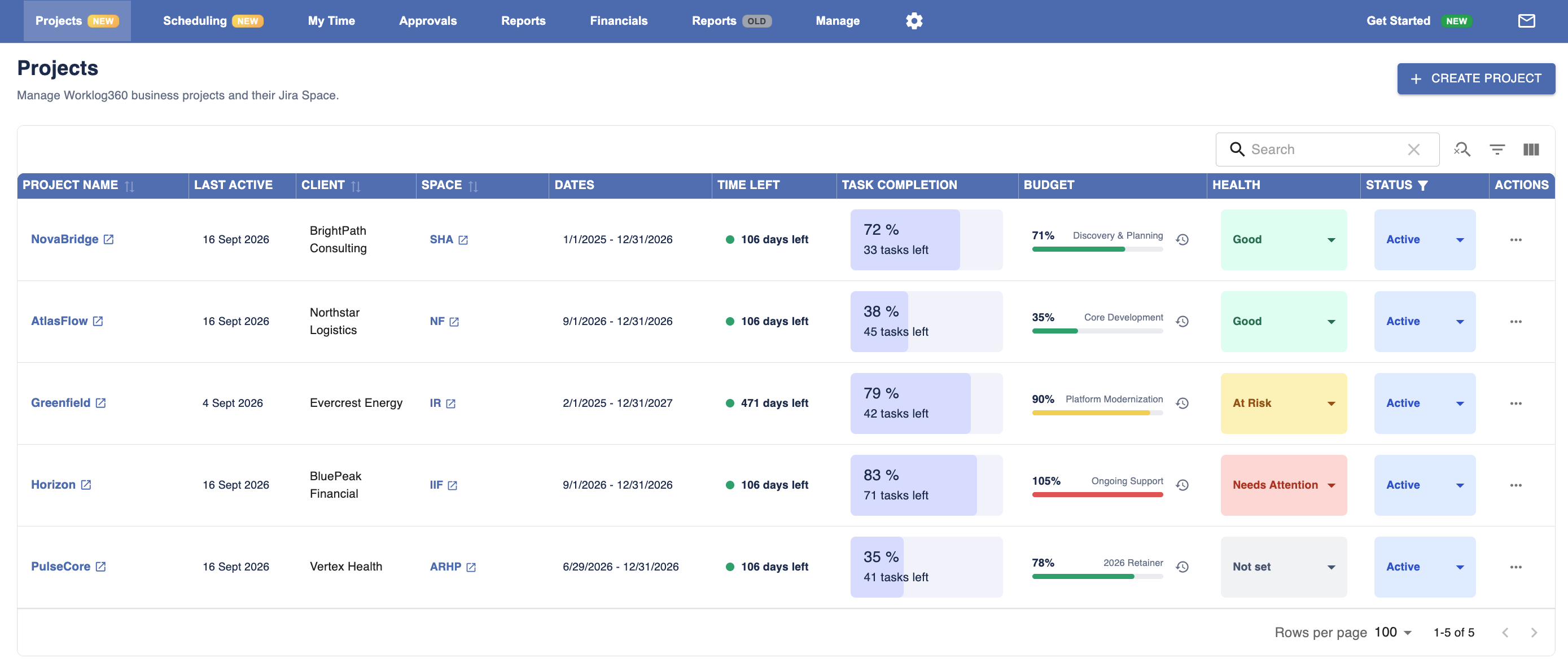
The Projects page gives you an overview of all projects in one place.
For every project, you can quickly see:
-
Client
-
Connected Jira Space
-
Project dates
-
Time remaining
-
Jira task completion
-
Current budget usage
-
Project health
-
Project status
This gives project managers a quick portfolio-level view and makes it easier to identify projects that are on track, at risk, or need attention.
Creating a Project
To add a new project, click Create Project.
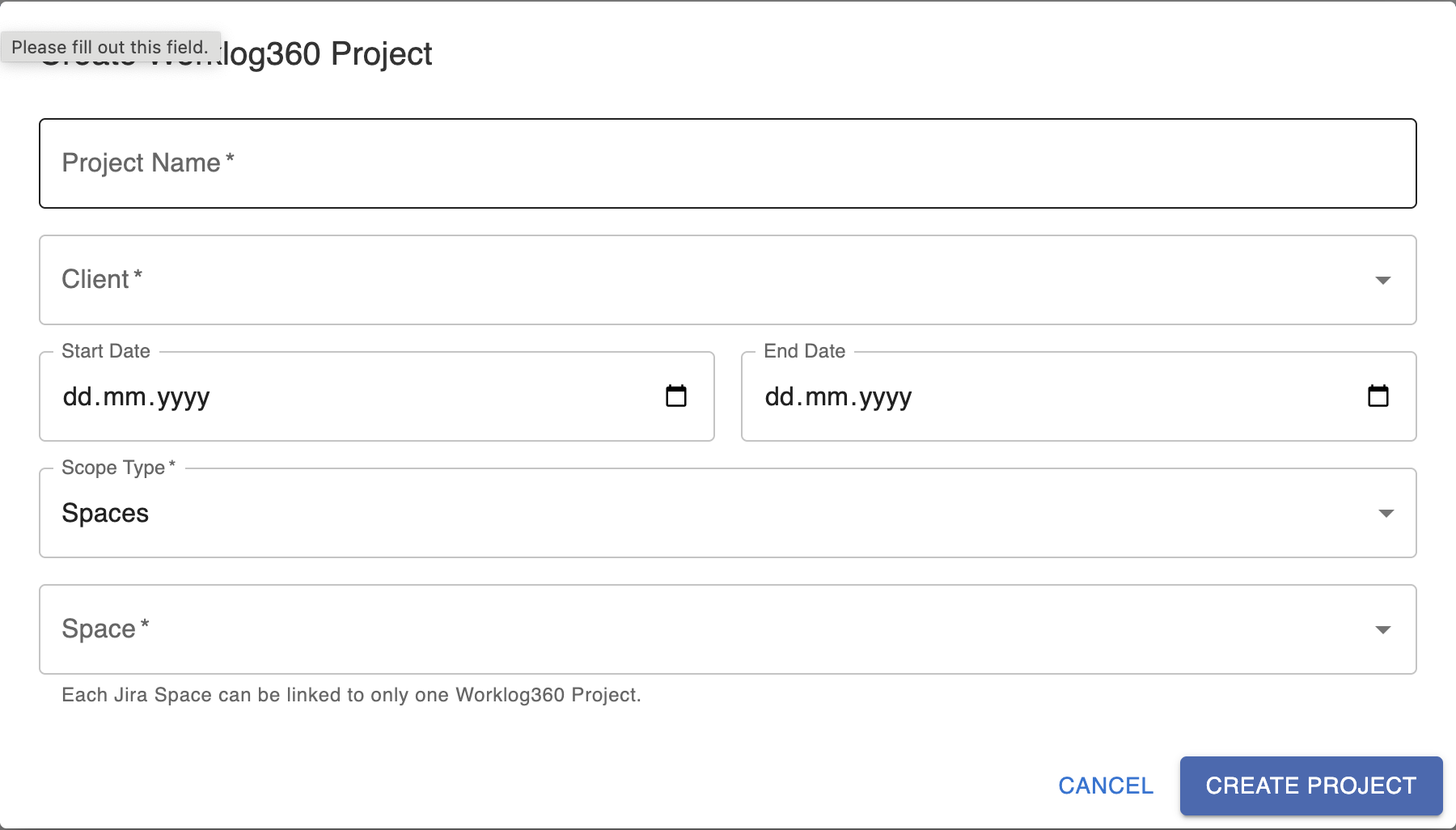
When creating the project, you define the main project information and connect it to its corresponding Jira Space.
The Jira Space connection allows Worklog360 to use the Jira issues and activity from that space when calculating project progress and displaying project information.
The Worklog360 Project then becomes the central object used across the product.
For example, when you later create a Budget, you assign it to a Project. This allows Worklog360 to connect:
Jira work → Project → Budget → Services → Billing
This means Jira continues to manage the day-to-day work, while Worklog360 adds the project and financial management layer around it.
Project Details
Clicking a project from the portfolio opens its dedicated Project Overview.
Here you get a more detailed view of the project's current state, including:
-
Issues by due date
-
Overall issue completion
-
Jira issue statuses
-
Recent project activity
-
Logged and billable time
-
Estimated remaining work
-
Current budget and budget usage
-
Milestones
-
Budget history
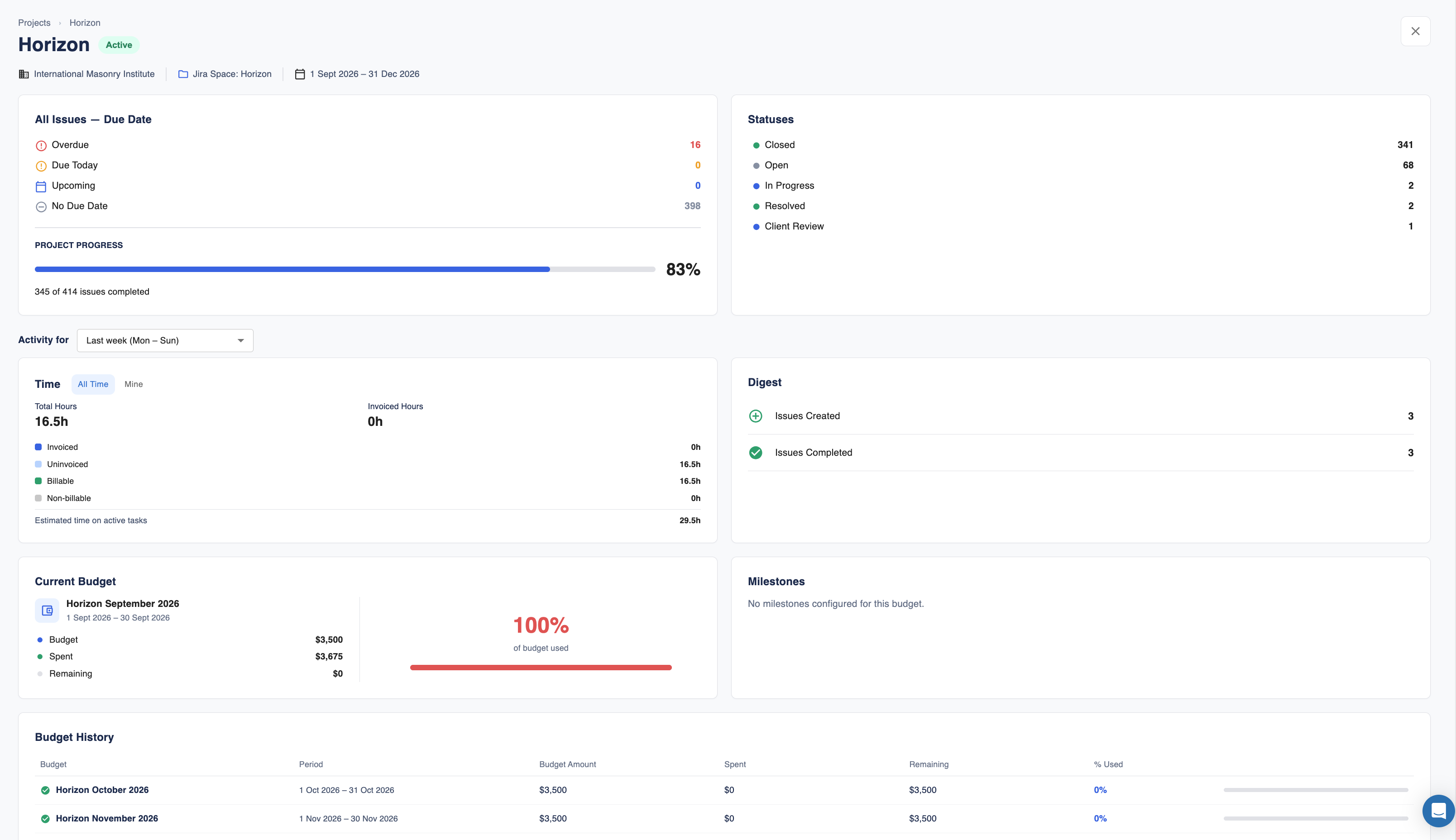
This makes the Project Overview useful as a quick project health dashboard. Instead of checking Jira issues, time reports, and budgets separately, you can see the most important project information together in one place.
How Projects fit into Worklog360
The idea is simple:
Jira Space contains the work and issues.
Worklog360 Project represents the business project.
Budgets define how the project is commercially managed.
As Worklog360 evolves, Projects will be the central place connecting work, time, budgets, services, resources, and billing.