Stay up to date with the latest improvements, new features, and fixes in Worklog360.
🚀 Worklog360 2.6.0
September 2026
New Project Overview
Get a clearer view of all your projects, budgets, and progress in one place.
We’ve introduced a new Project Overview that gives project managers and service teams better visibility across their entire project portfolio — while making it easy to drill into the details of an individual project.
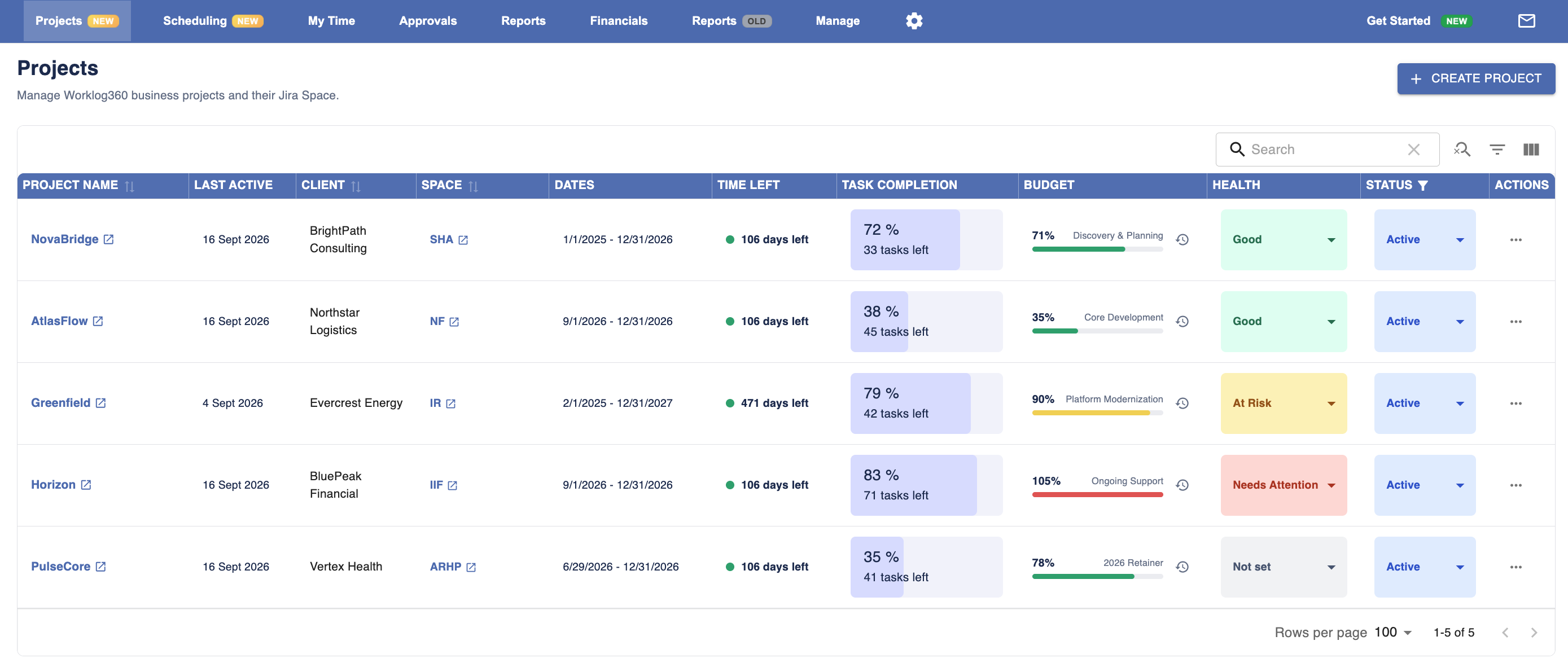
See your entire project portfolio at a glance
The new Projects view brings your key project information together in one place. Quickly see:
-
Project status
-
Budget and remaining budget
-
Budget progress
-
Jira issue progress
-
Key project dates
This makes it much easier to identify projects that need attention without opening each project individually.
Drill into each project
Click any project to open its dedicated Project Dashboard with a more detailed view of its performance.
The dashboard highlights important project information including budget progress, work and issue progress, project status, and other key details — giving you a single place to understand how the project is progressing.
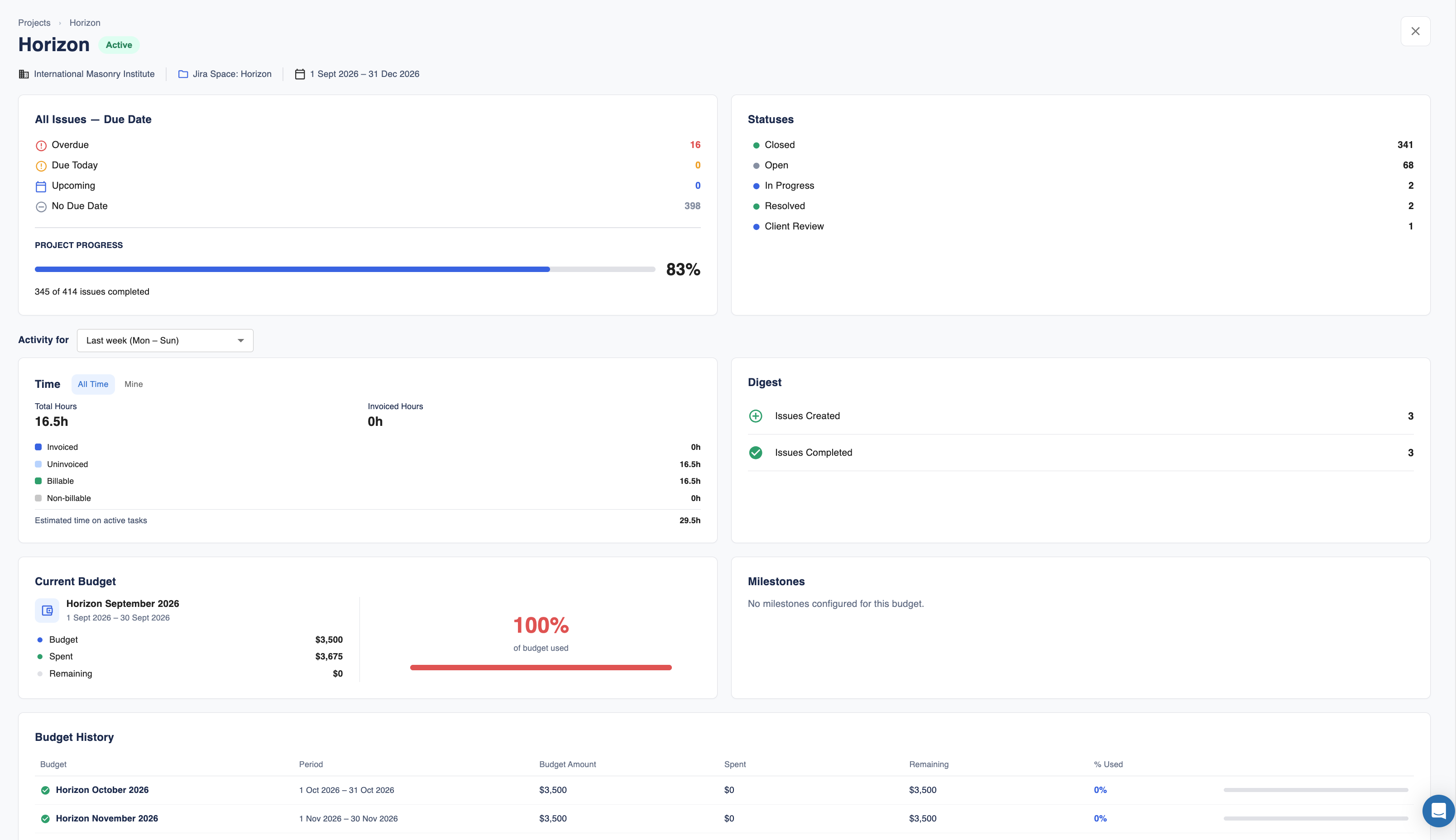
The new Project Overview helps you move from portfolio-level visibility to project-level detail without leaving Worklog360.
🚀 Worklog360 2.5.0
✨ Capacity Planning & Resource Scheduling
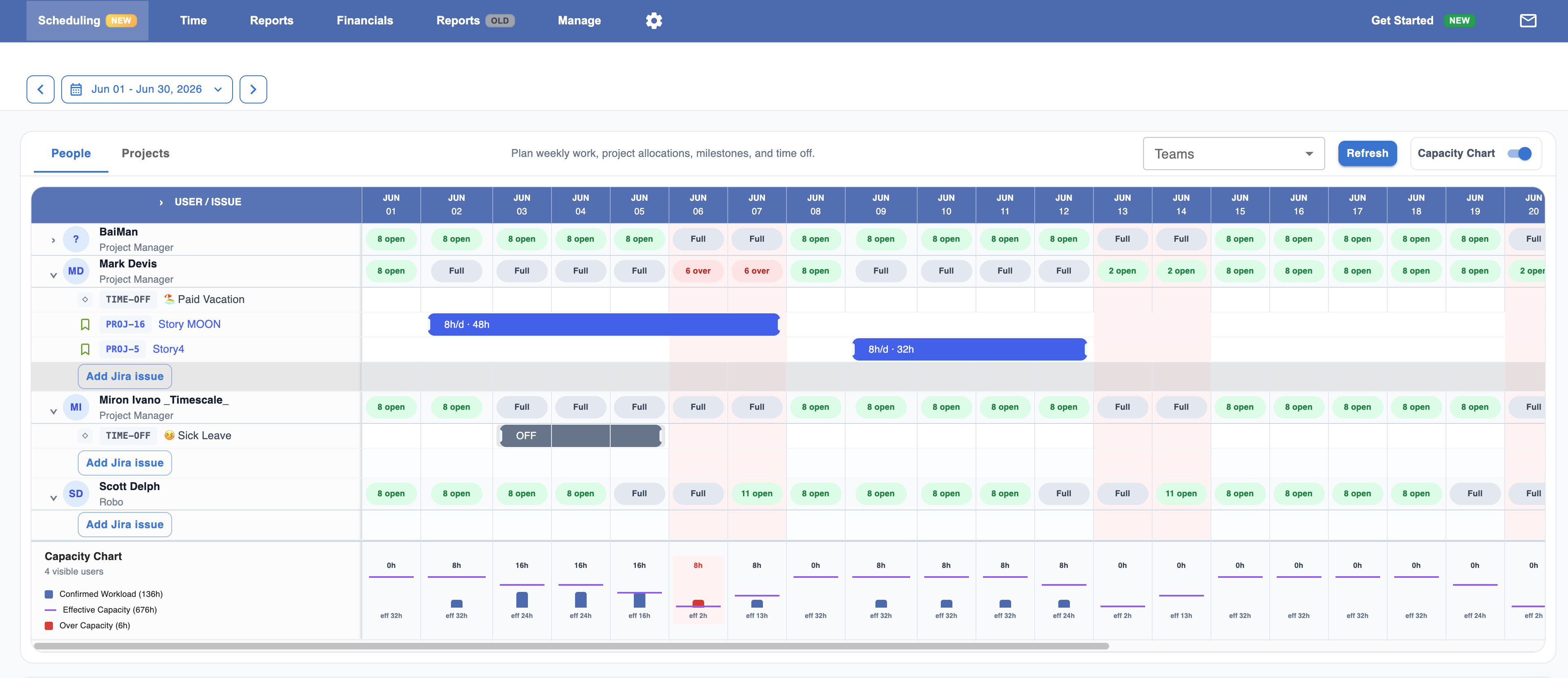
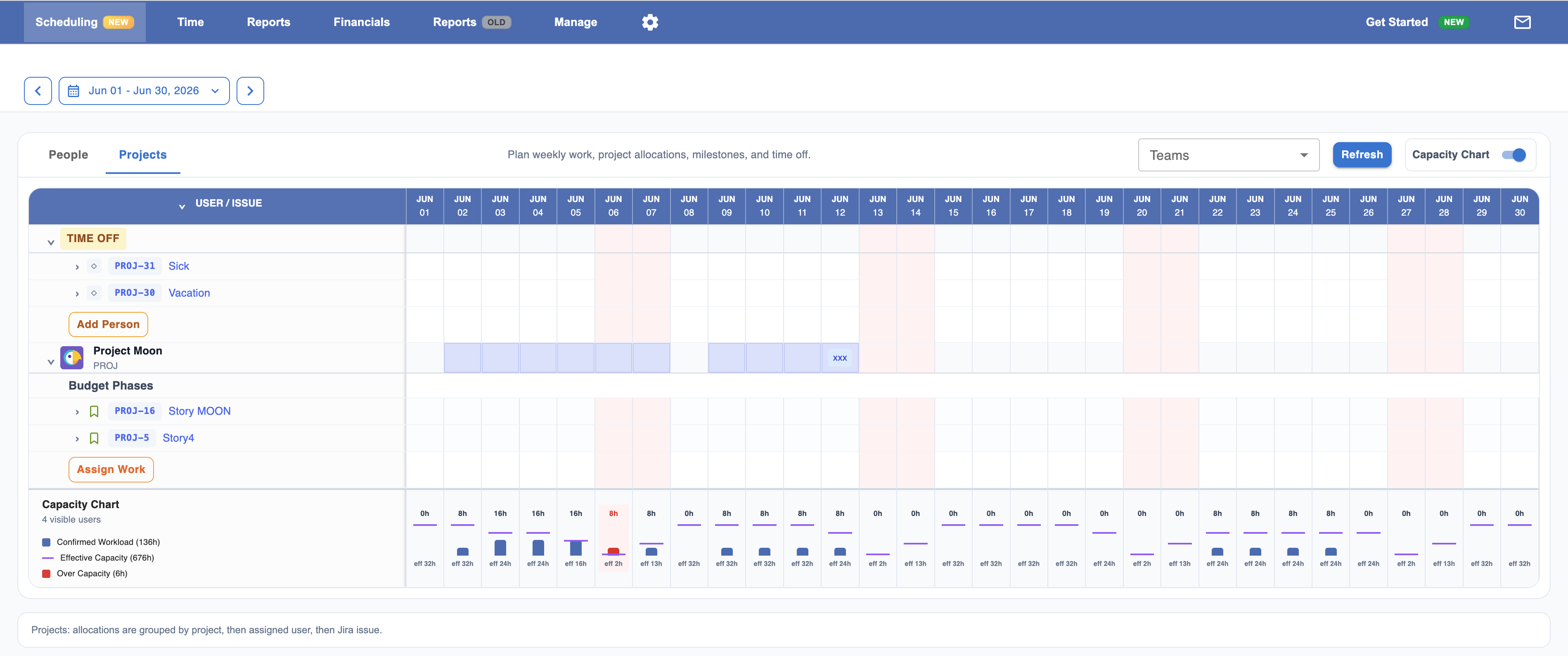
Plan your team's work directly inside Jira with Worklog360's new scheduling experience.
What's coming
-
📅 Schedule work by People or Projects
-
👥 View team capacity and identify overbooked or available resources
-
🎯 Assign people to Jira issues using drag-and-drop scheduling
-
📊 Compare scheduled work against each person's available capacity
-
🏖️ Plan vacations, sick leave, training, and other internal work alongside project assignments
-
🚩 Add project milestones to visualize important delivery dates
-
📈 Capacity Summary view to monitor team workload at a glance
-
📌 Personal My Schedule view, allowing every team member to see their upcoming planned work
-
💰 Budget-aware scheduling, helping managers understand how planned work impacts project budgets
-
⚡ Faster planning with an intuitive scheduler designed specifically for Jira
🚀 Worklog360 2.4.0
June 2026
✨ Issue Timer
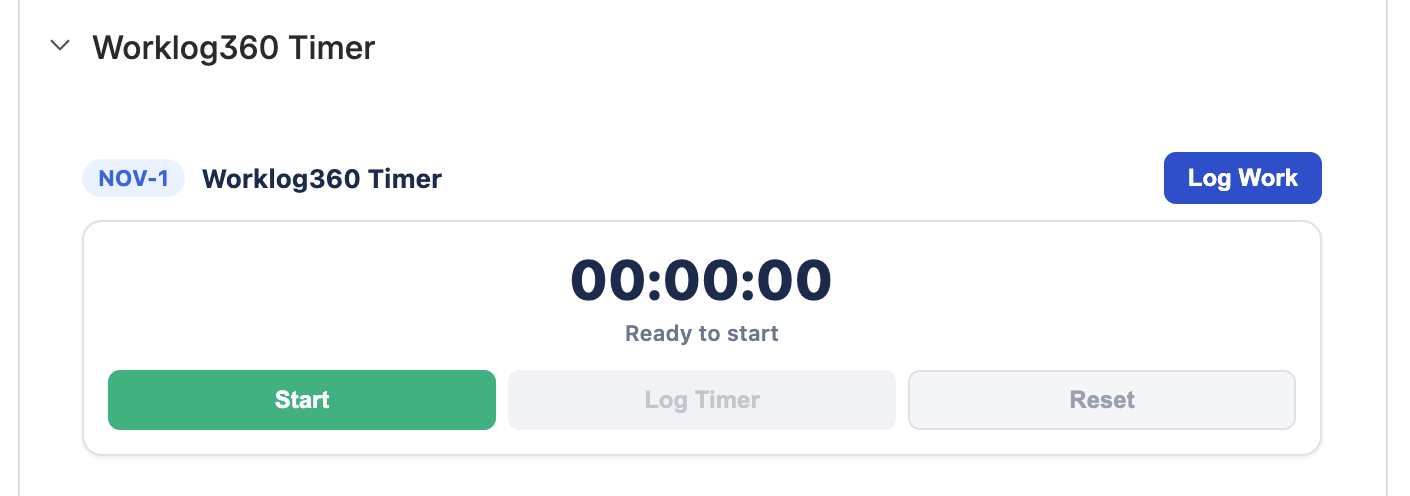
Track time effortlessly without leaving Jira.
What's new
-
Start and stop timers directly from Jira issues
-
Automatically convert completed timers into worklogs
-
Continue tracking seamlessly across your workday
🚀 Worklog360 2.3.0
April 2026
✨ QuickBooks Online Integration
Simplify your billing workflow with native QuickBooks Online integration.
What's new
-
Connect your QuickBooks Online account to Worklog360
-
Export invoices directly to QuickBooks
-
Sync customers and statuses of issues invoices automatically
-
Reduce manual invoicing and bookkeeping work
🚀 Worklog360 2.1.0
April 2026
✨ Redesigned Timesheet Experience
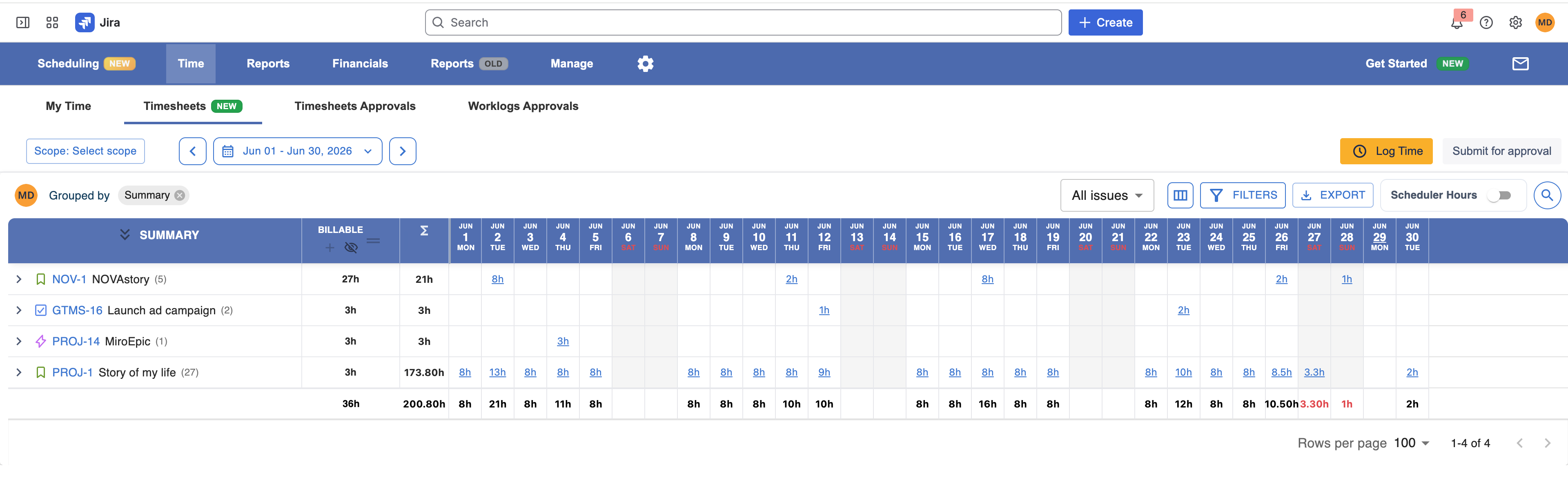
A faster, cleaner, and more intuitive way to log and manage time in Jira.
What's new
-
📝 Completely redesigned My Timesheet interface
-
📅 Improved weekly/monthly time entry experience
-
⚡ Faster worklog creation and editing
-
🔍 Better issue search and selection
-
📊 Clearer daily and weekly totals
-
🔍 Advance grouping and filtering
-
✅ Simplified worklog submission and approval workflow
-
🎨 Modern, responsive interface for a smoother user experience
🚀 Worklog360 2.0.0
November 2025
✨ Enhanced Budget Insights
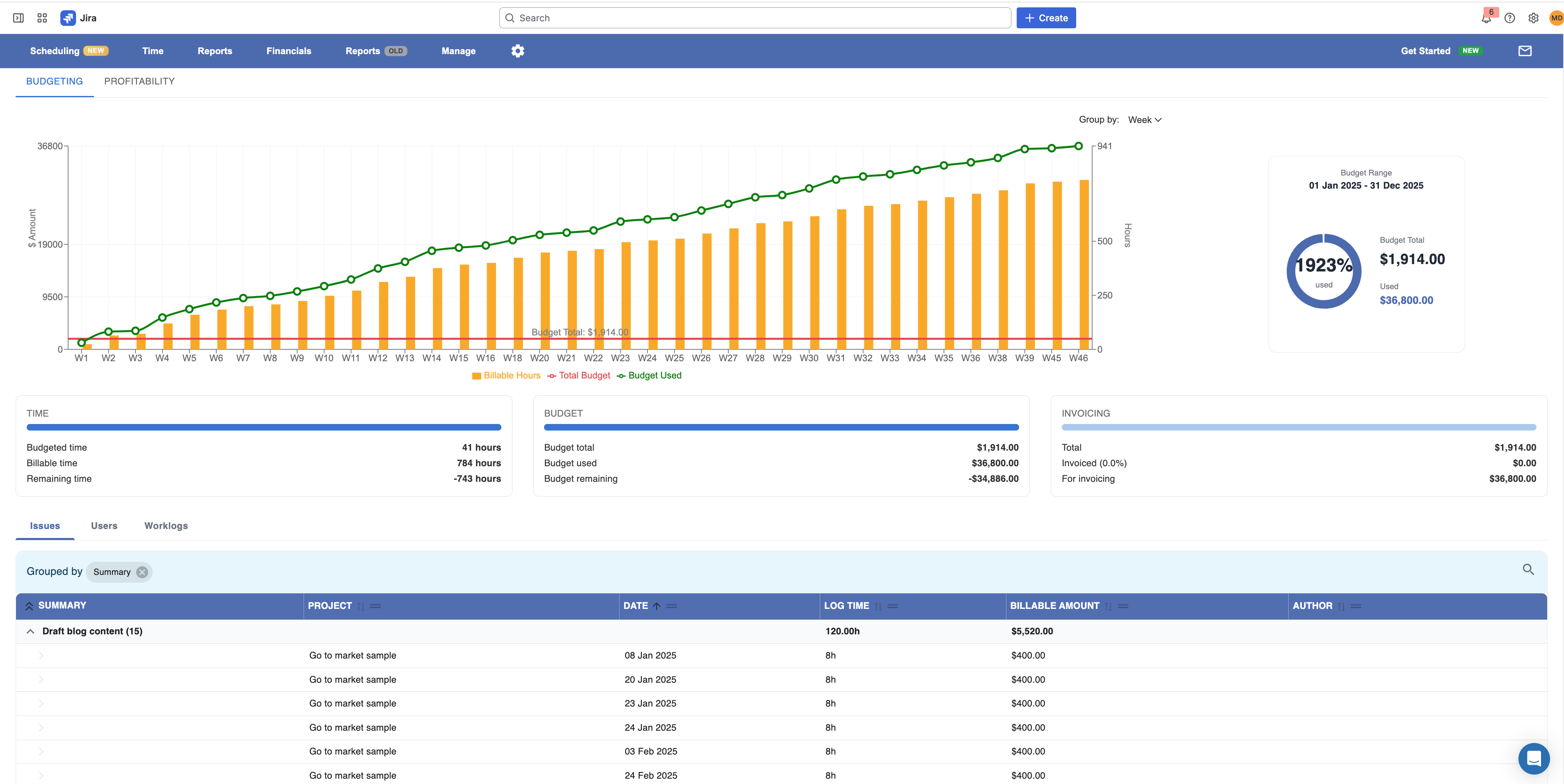
Gain a clearer understanding of your project budgets with redesigned charts and financial summaries.
What's new
-
📊 Completely redesigned budget charts with improved visualizations
-
📈 Better visibility into project revenue, costs, and profitability
-
🎯 New breakdowns (users, projects, issues) for billable and non-billable work
-
📅 Improved progress tracking throughout the project lifecycle
-
⚡ Faster loading and smoother navigation across budget views