Managing employee leave directly in Jira helps project managers accurately plan team capacity while giving employees a simple way to request vacation, sick leave, and other absences—all without leaving Jira.
This guide walks you through configuring Time Off categories, submitting requests, and viewing company-wide availability in the Scheduler.
Step 1: Configure Time Off Categories
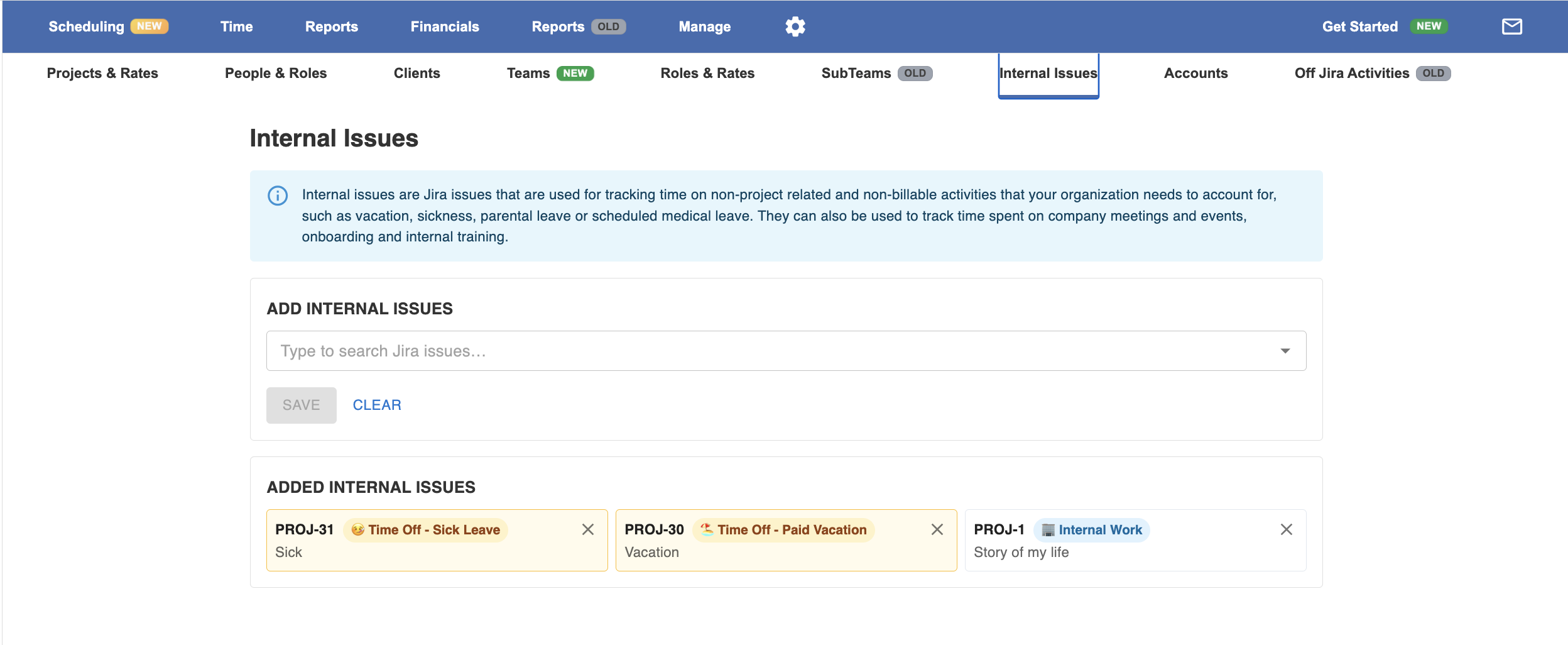
Before users can request time off, an administrator needs to configure the internal Jira issues that represent each type of leave.
Navigate to:
Manage → Internal Issues
Here you can create or categorize internal issues that will be available in the Time Off module, such as:
-
🏖 Paid Vacation
-
🤒 Sick Leave
-
🕒 Unpaid Leave
-
🎓 Training
-
🏢 Internal Work
-
📌 Other
Only internal issues categorized as Time Off will appear when users submit a request.
Step 2: Employees Submit Time Off Requests
Once the categories have been configured, employees can request leave directly from Jira.
Navigate to:
Time → Time Off
Click Request Time Off, then:
-
Select the appropriate Time Off category.
-
Choose the start and end dates.
-
Submit the request.
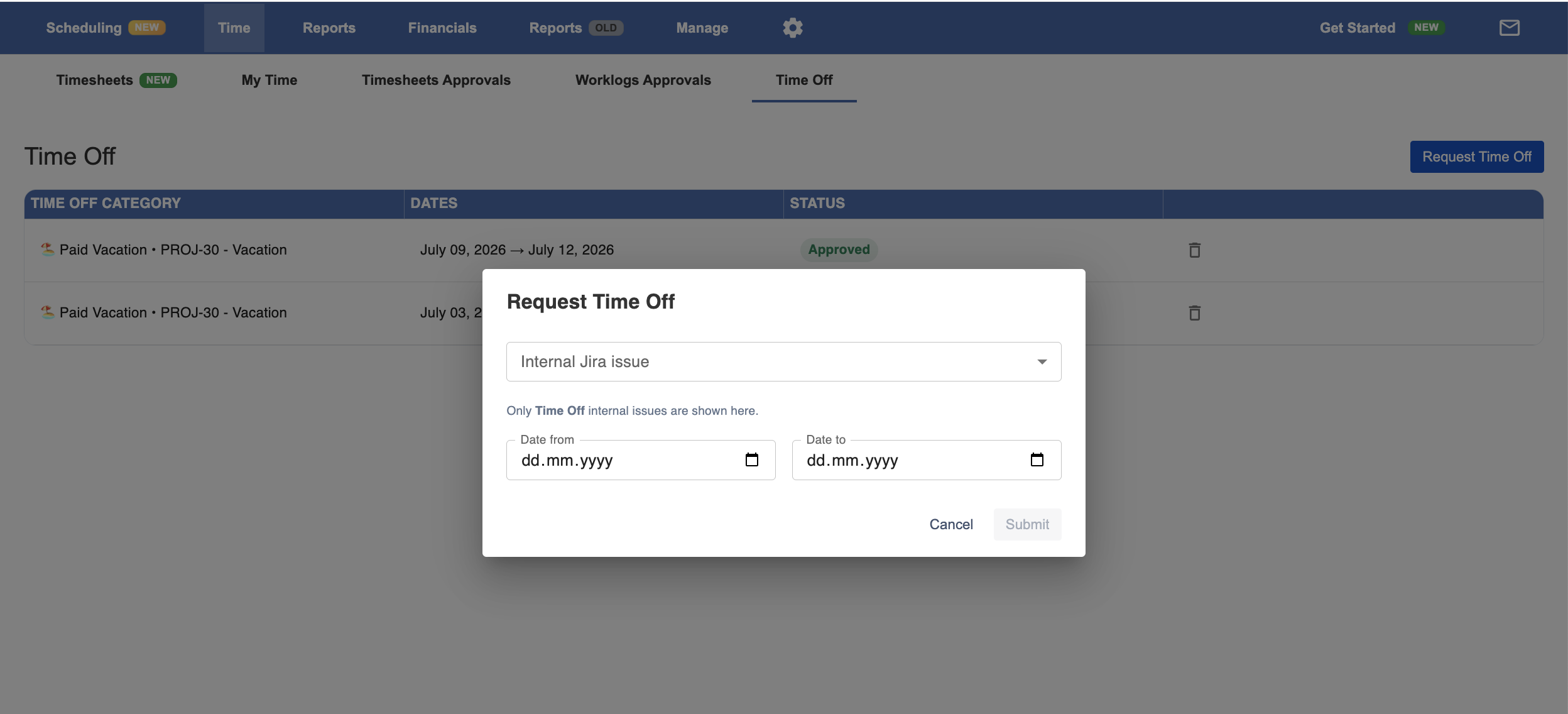
The request is immediately added to the user's Time Off calendar, making upcoming absences visible for planning.
Step 3: Plan Resources Around Team Availability
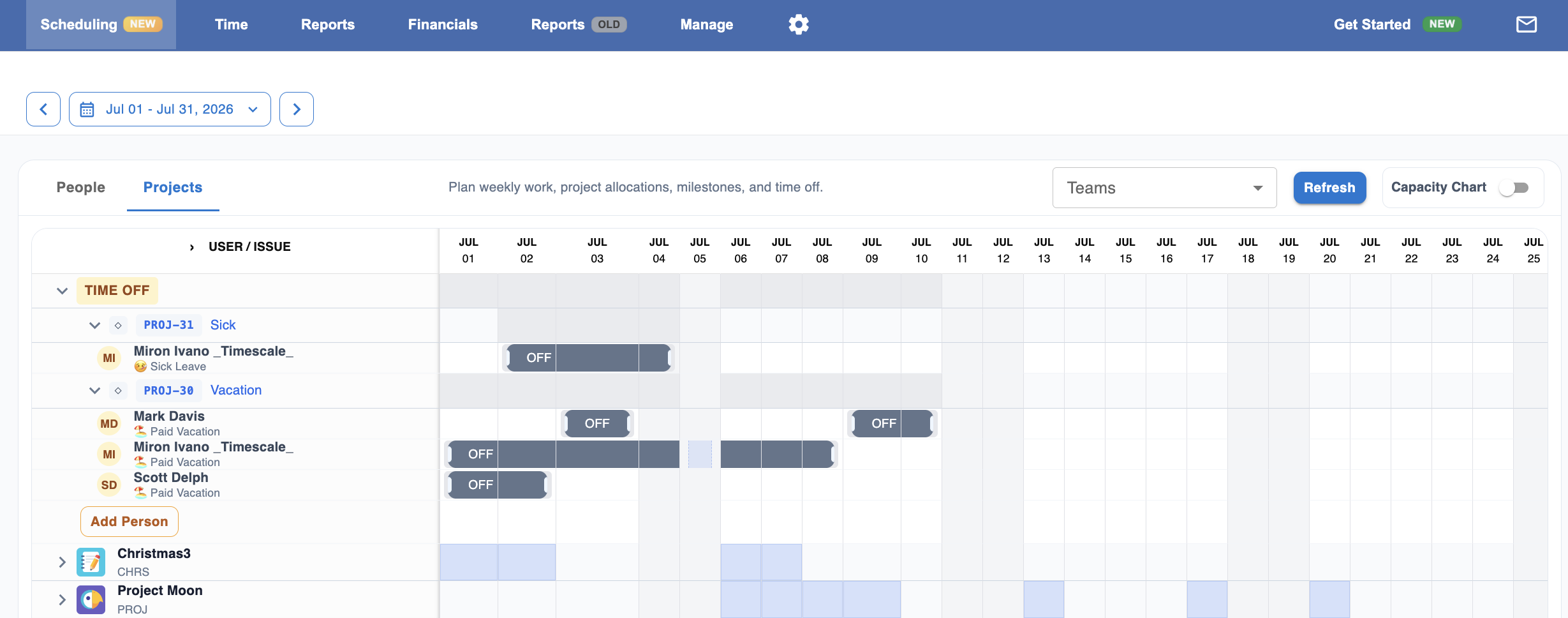
Approved Time Off automatically appears inside the Scheduler, allowing project and resource managers to see team availability while planning work.
Navigate to:
Scheduler → Projects
The dedicated Time Off section displays all employee leave across the organization, making it easy to:
-
Identify who is unavailable.
-
Avoid assigning work during vacations or sick leave.
-
Balance workloads across the team.
-
Improve resource planning and delivery forecasting.
This company-wide visibility helps ensure projects are staffed with available team members before schedules are finalized.
Benefits of Time Off Management
Using Time Off Management inside Worklog360 allows organizations to:
-
Keep all leave requests inside Jira.
-
Eliminate separate vacation spreadsheets.
-
Improve resource and capacity planning.
-
Prevent scheduling conflicts.
-
Give managers real-time visibility into team availability.
-
Help teams deliver projects on schedule with more accurate planning.